Free
DraftThe Mac app at no cost. What the free tier includes is not decided.
Price to be announced
- Processes and Clean in the Mac app, with a preview before any changeDraft
- Move to Trash by default, so Put Back worksDraft
- Free tier limitsDraft
Only what you pick goes to the Trash.
Not released yet. Screens show sample data.
Macintosh HD
61.4 GB free
of 494.4 GB
CPU
38%
Last minute
Ports
3 listening
Memory in use
15.4 GB
of 24 GB · Pressure: Normal
Found to clean
15.2 GB
Moved to Trash
8.25 GB
Put Back works until you empty the Trash.
See what uses your CPU and memory, and what is listening.
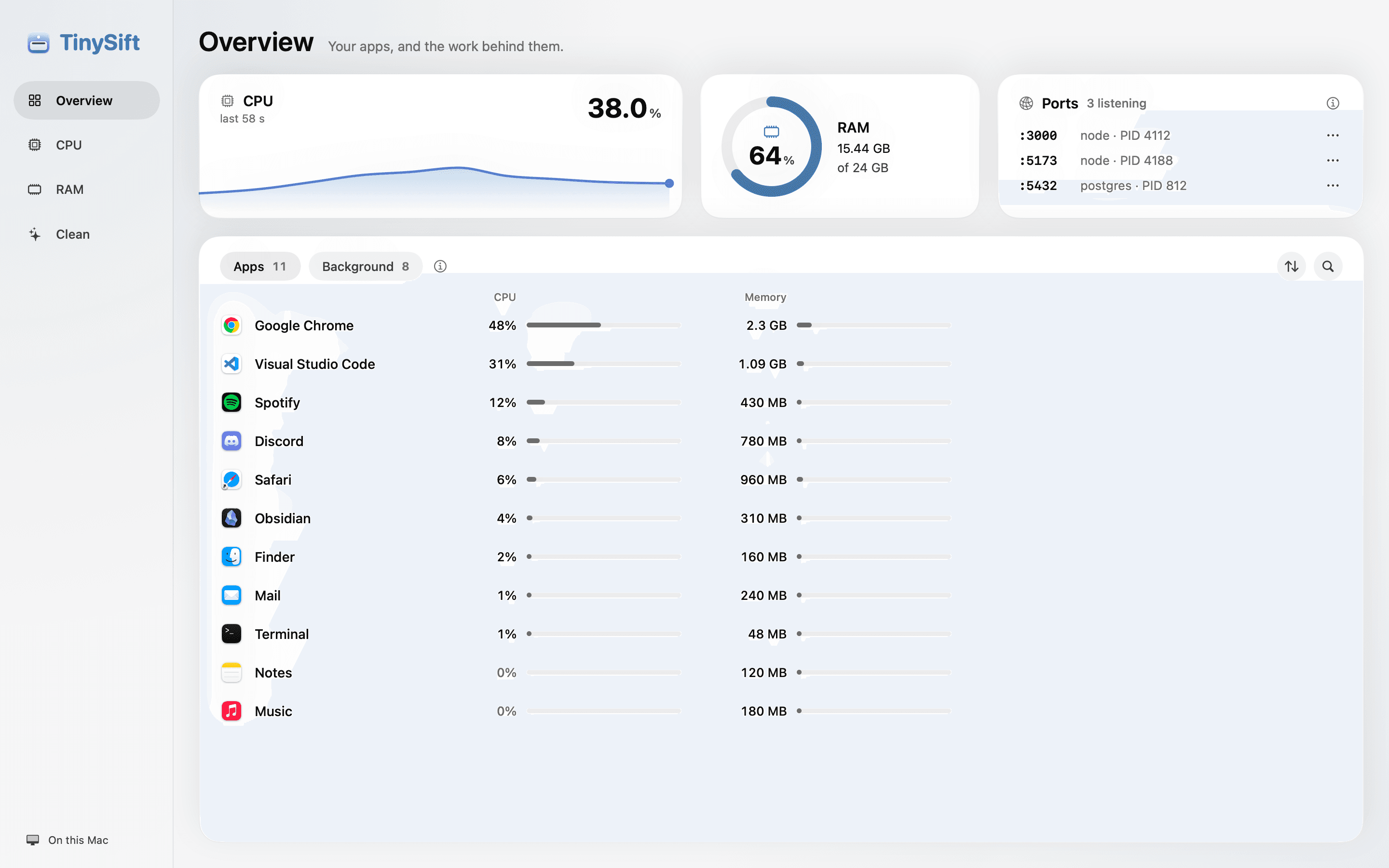
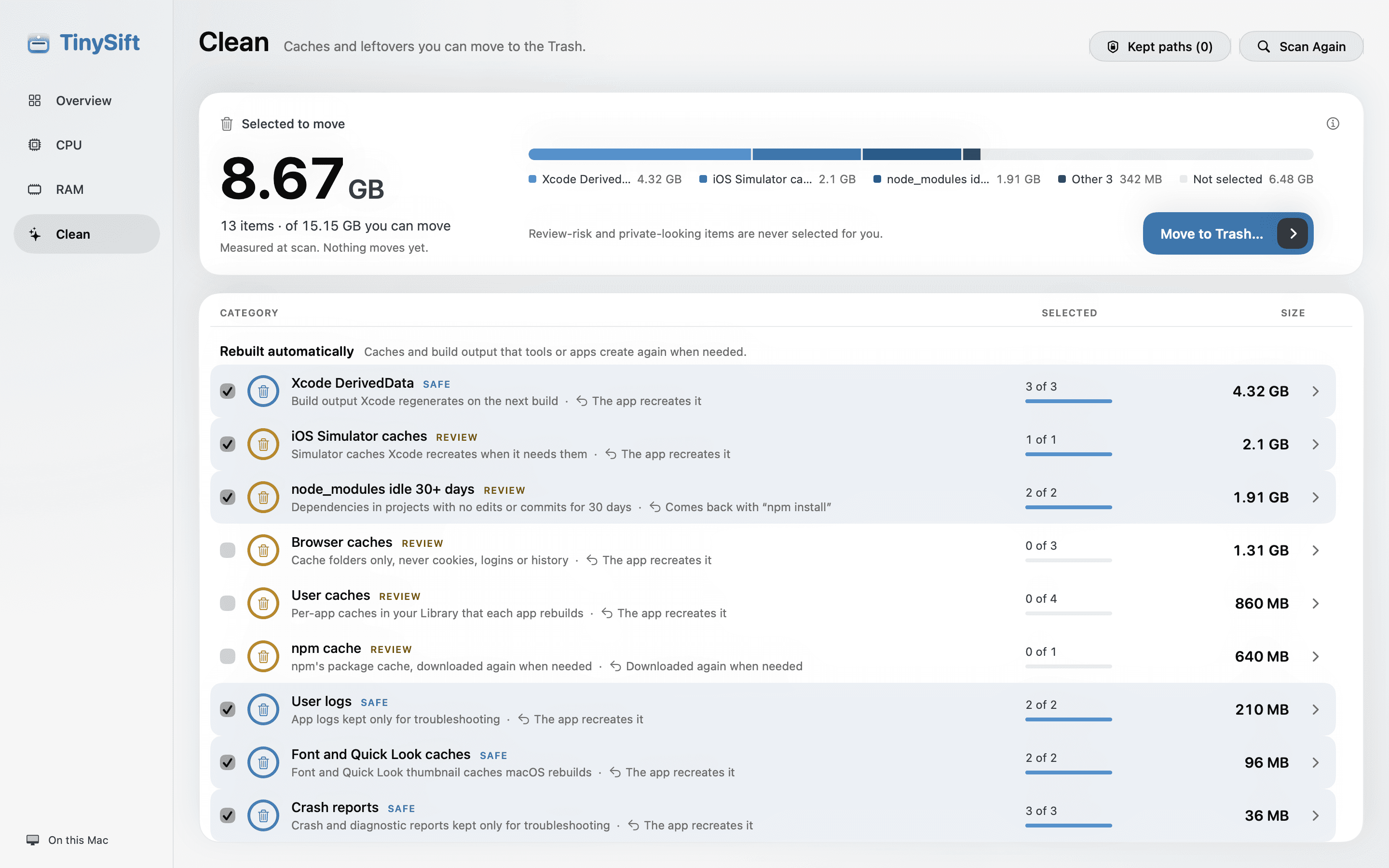
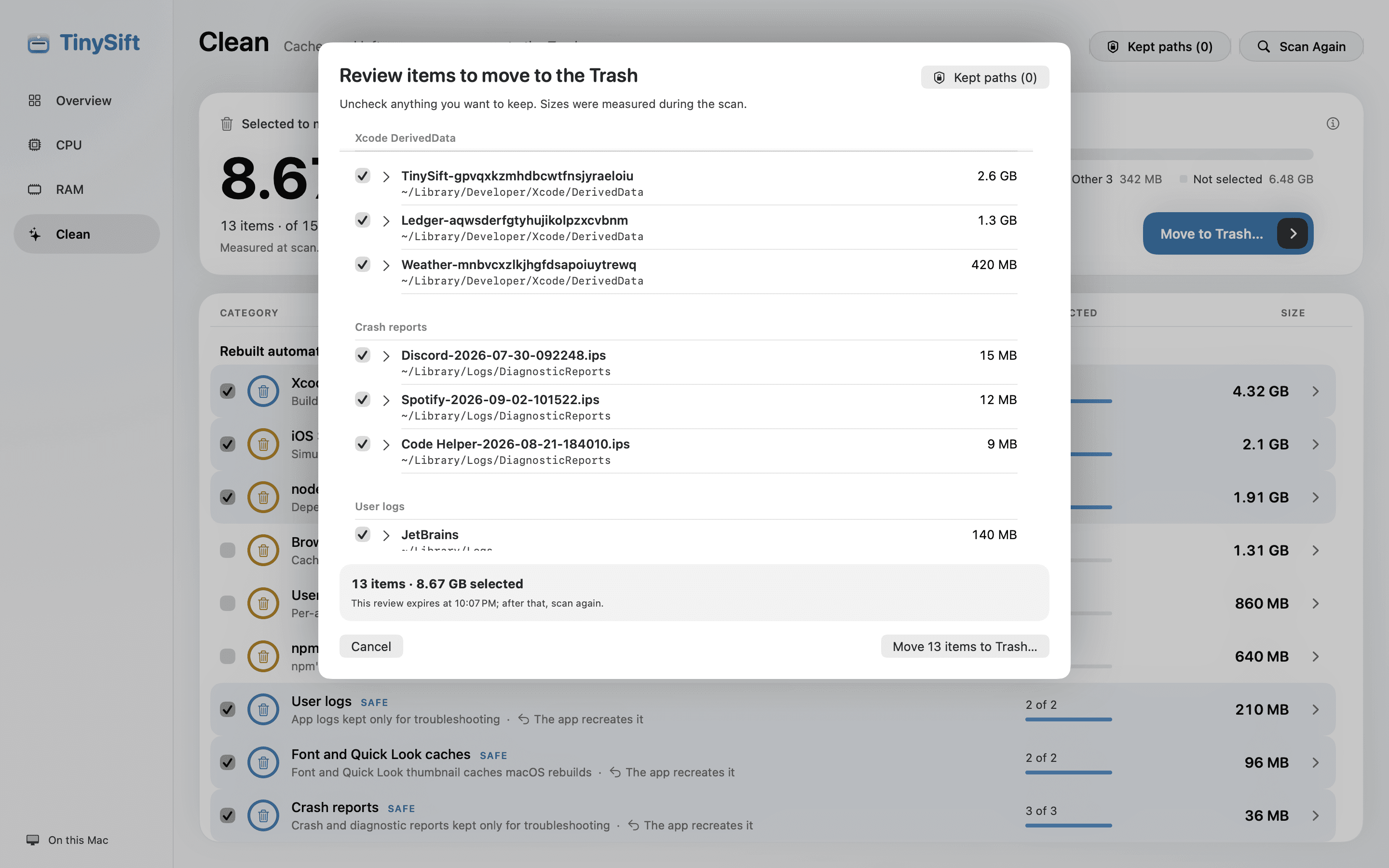
Three screens from the app, in the order you use them.
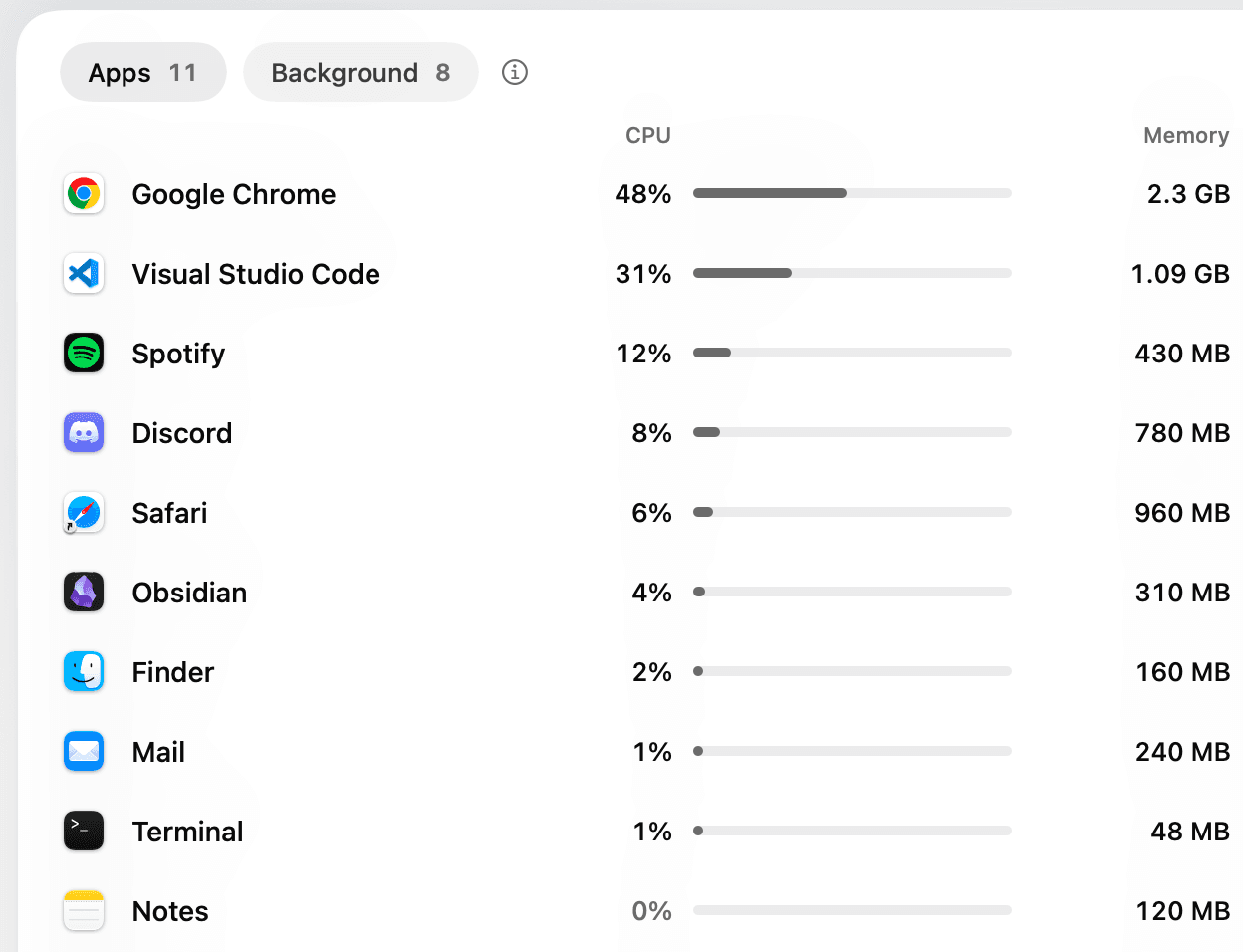
Overview lists your apps with the CPU and memory each one uses right now, and the processes behind it.
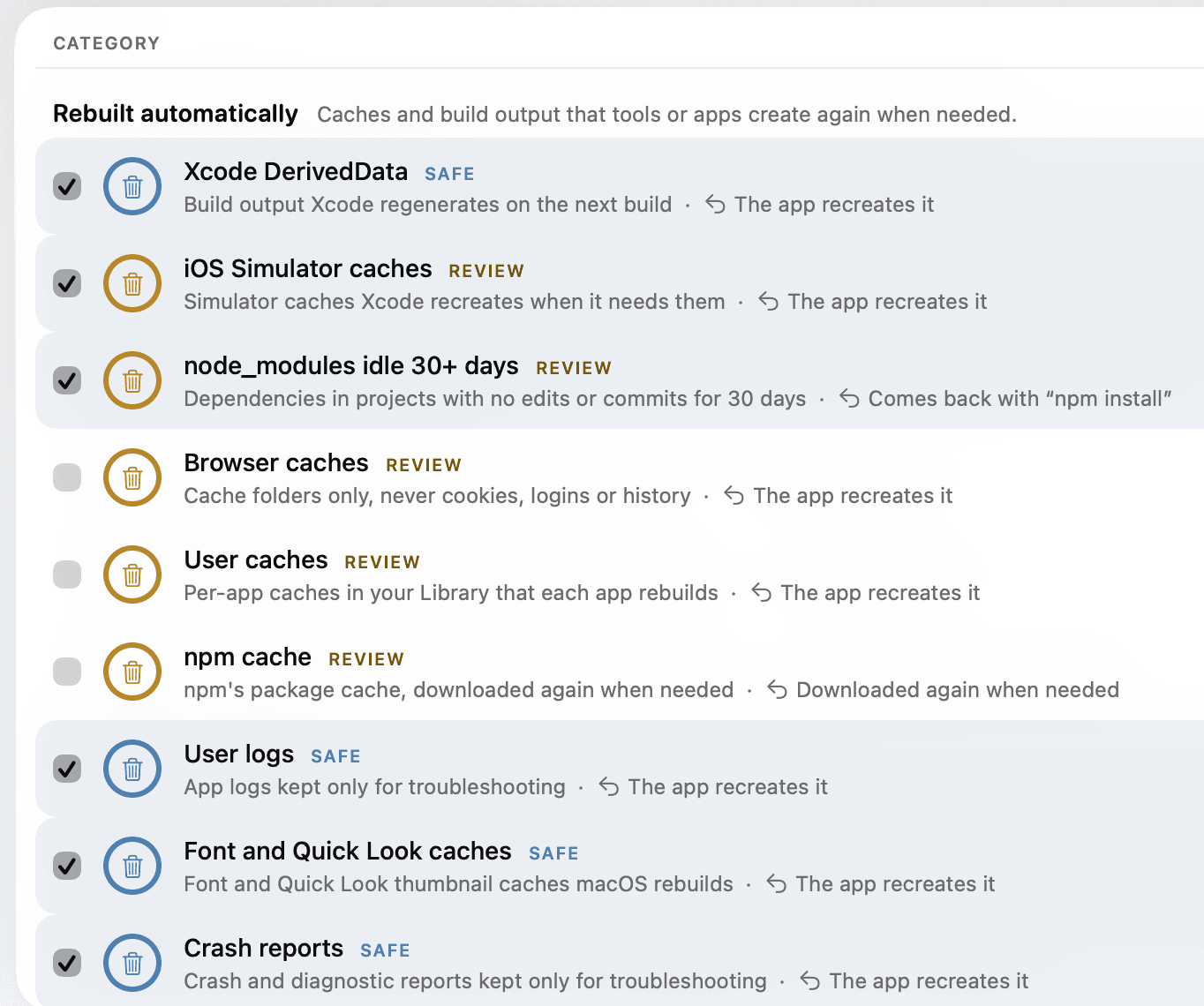
Clean groups caches and leftovers by trust level. Safe categories start ticked, Review categories start unticked, and the total follows your picks.
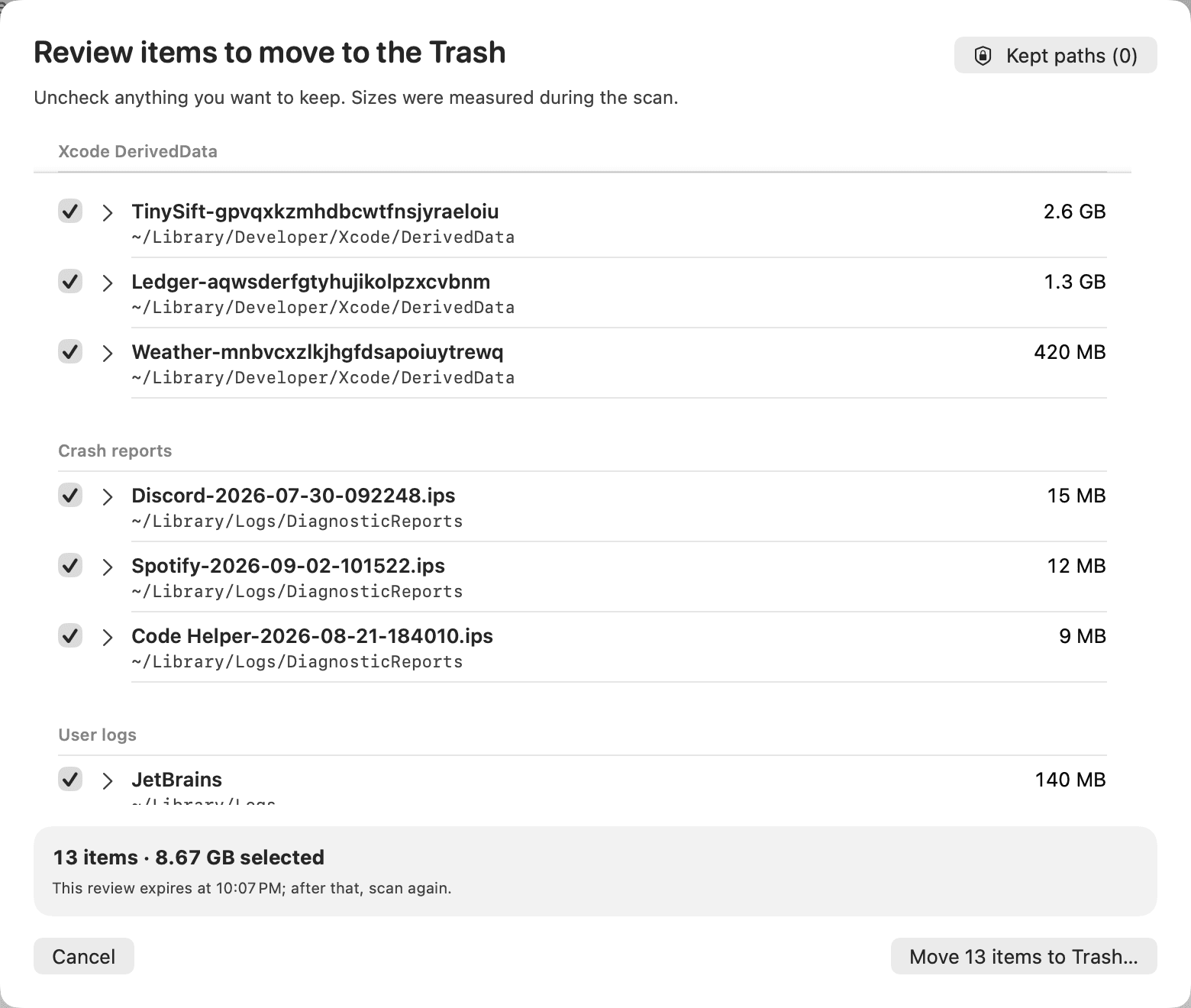
Every path is listed with its size before anything moves. The Trash is the only destination, so Put Back works.
Three groups by trust level, with every category named below.
Planned for the app · Sample data
Rebuilt automatically
23 categories
Caches and build output that apps or tools create again; some need a rebuild or a reinstall. 4 Safe start ticked, 19 Review start unticked.
Safe, ticked to start: Xcode DerivedData, Crash reports, User logs, Font and Quick Look caches.
Review, unticked to start: node_modules idle 30+ days, Browser caches, iOS Simulator caches, User caches, npm cache, pnpm store, Yarn cache, Cargo cache, Python caches and venvs, Rust target folders, Go build caches, Gradle and Maven caches, Android SDK caches, JetBrains caches, VS Code caches, Xcode DeviceSupport, Chat app caches, Streaming app caches, Gatekeeper history.
Your files
4 categories
Only the Trash can bring these back, so each one starts unticked.
All Review: Old downloads, Old screenshots, Mail attachments, Xcode Archives.
Report only
6 categories
The app never moves these.
Never moved: Docker images and build cache, Docker volumes, Unavailable Simulator devices, Time Machine local snapshots, Trash, App leftovers.
The report after a Clean says exactly what happened, number by number.
Every path and its size is listed before you confirm. Review items wait for your tick, and files that look private are never ticked for you.
Move to Trash is the only action, so Put Back in Finder brings anything back until you empty the Trash yourself.
Moved, Failed and Skipped are separate numbers. A folder that changed since the scan is skipped, never moved on the old measurement.

Both plans are drafts until the app is released.
The Mac app at no cost. What the free tier includes is not decided.
Price to be announced
More from the app, on a subscription.
Price to be announced
Both plans are drafts. Plans, features, limits and prices are not final, and the app is not released yet.
Three steps, from install to your first Clean.
TinySift for Mac is not released yet, and early access is not open.
Get early access ›Some folders, such as Mail and Safari data, are protected by macOS. In System Settings, open Privacy & Security, then Full Disk Access, and switch TinySift on. The app is designed to say plainly which locations it could not read.
Pick categories and read the preview: the paths in each category with their sizes. Safe items start ticked, Review items start unticked, and nothing changes until you confirm. Move to the Trash is the default, so Put Back works.